From Signed Contract to Handed-Over Keys, Every Step Stays in View.
Manage eight distinct real estate transaction types with the workflow each one actually needs: seven stages for sales and six for leases. Create a transaction and its task list, deadlines, and commission calculations appear with it.
8
Transaction types
Including Dual Agency, Commercial Lease, and Referral
7 + 6
Workflow stages
Seven for sales · six for leases · selected by transaction type
24
Buyer-sale tasks
Listing sale 20 · tenant lease 18 · landlord lease 16
0–100
AI deal score
Closing probability with risks and next steps for your review
The Entire Transaction, from Contract to Keys, on One Screen
Stage, task list, and every calculated deadline stay in the same view.
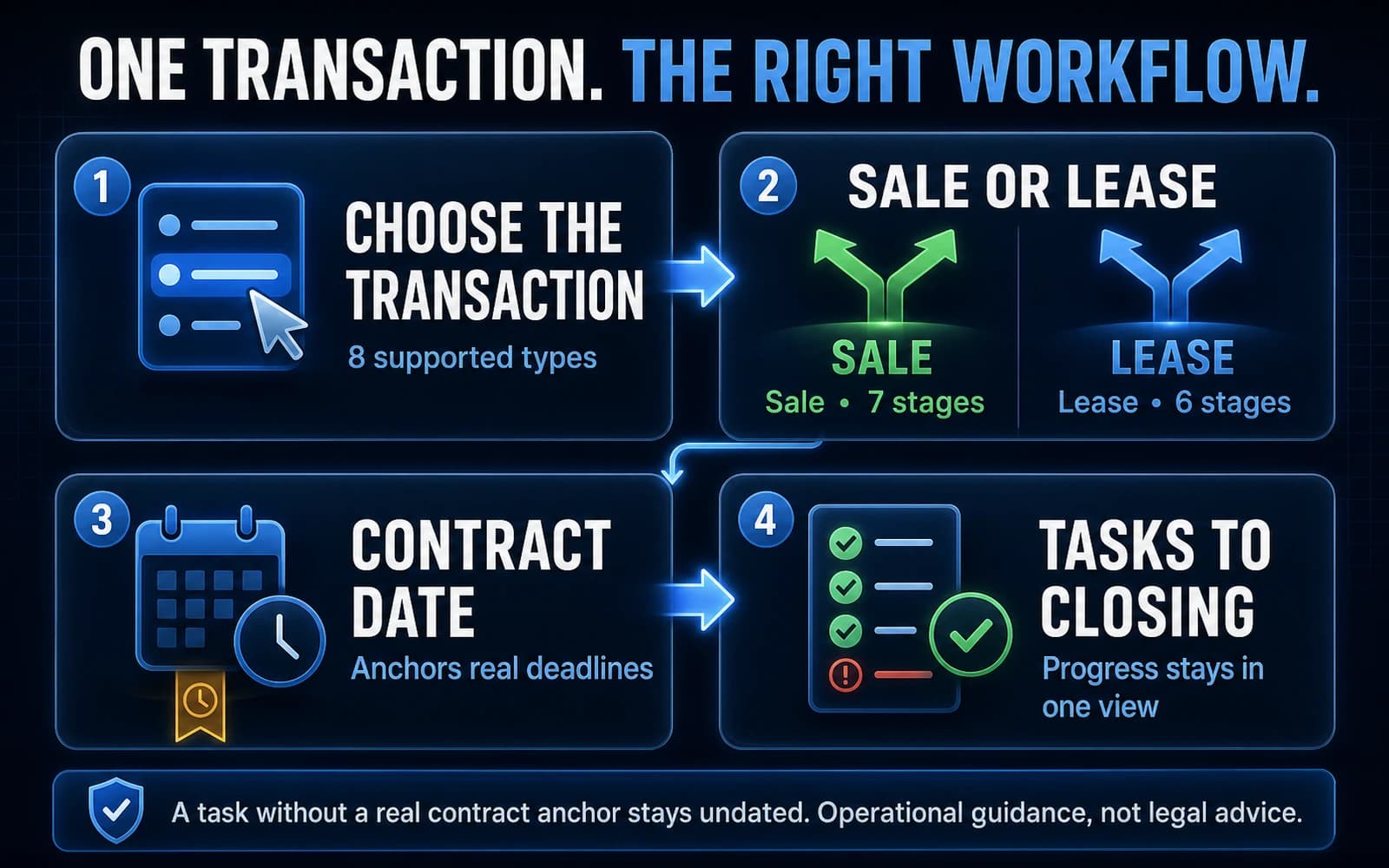
The Workflow Fits the Transaction — Not the Other Way Around.
Sales move through Pre-Contract → Under Contract → Due Diligence → Financing → Clear to Close → Closing → Closed. Leases use Marketing → Application → Screening → Lease Prep → Move-In → Active. WebGrowly applies the correct task template and calculates each anchored deadline from the contract date.
Pre-Contract
- The correct task template is applied for the selected transaction type
- Client, sale price or monthly rent, commission rate, and agent split are recorded
- Example: dual-agency disclosure signed by both parties, due contract + one day
Under Contract
- The contract date recorded with the transaction sets every anchored deadline
- The checklist shows how much of the work is complete
Due Diligence
- Example: home inspection completed, contract + seven days
- Every task carries a stage, category, description, required status, and display order
Financing
- Example: appraisal completed, contract + 14 days
- Example: final loan approval, contract + 35 days
Clear to Close
- Expected commission counts toward the forecast, weighted by stage
- Each checklist task shows its due date and whether it is done
Closing
- A final walkthrough without a genuine contract anchor stays undated rather than receiving an invented deadline
Closed
- Closed revenue and volume roll into monthly, quarterly, and annual reporting in your account timezone
- Only closed transactions count toward closed revenue and volume
How it works — 4 steps
Create the transaction and select its type
Choose Buyer Sale, Listing Sale, Dual Agency, Tenant Lease, Landlord Lease, Commercial Sale, Commercial Lease, or Referral. That choice sets the sale or lease workflow and applies the matching task template. Move stages by drag-and-drop on desktop or dedicated controls on mobile.
Work from a transaction-specific task list
Templates are built for the work: 24 tasks for a buyer sale, 20 for a listing sale, 18 for a tenant lease, 16 for a landlord lease, plus dedicated sets for the other four types. Each task includes its stage, category, description, required status, and order. Standard templates stay protected, and you can add your own tasks on top of them for your closing process.
Let the contract date drive real deadlines
Anchored tasks use the contract date plus a defined number of calendar days: dual-agency disclosure +1, inspection +7, appraisal +14, and final loan approval +35. Tasks without a genuine contract anchor stay undated instead of receiving a fabricated deadline. These templates provide operational guidance; they do not certify legal or regulatory compliance or replace brokerage supervision or a transaction coordinator.
Review the forecast, the AI deal score, and the client update
Analytics show active transaction value, probability-weighted expected commission, closed revenue and volume by month, quarter, and year, plus the next five closings. The AI deal score uses the visible transaction inputs to estimate the probability of closing from 0 to 100, with a trend, risks, and suggested actions for your review. Client updates remain drafts: you preview, copy, or open them in your mail app. WebGrowly OS does not send them automatically.
See One Transaction Move from Contract to Close.
In a 60-minute demo, we will walk through a live transaction together.
Book a Demo