Every Lead Source. One Organized Pipeline.
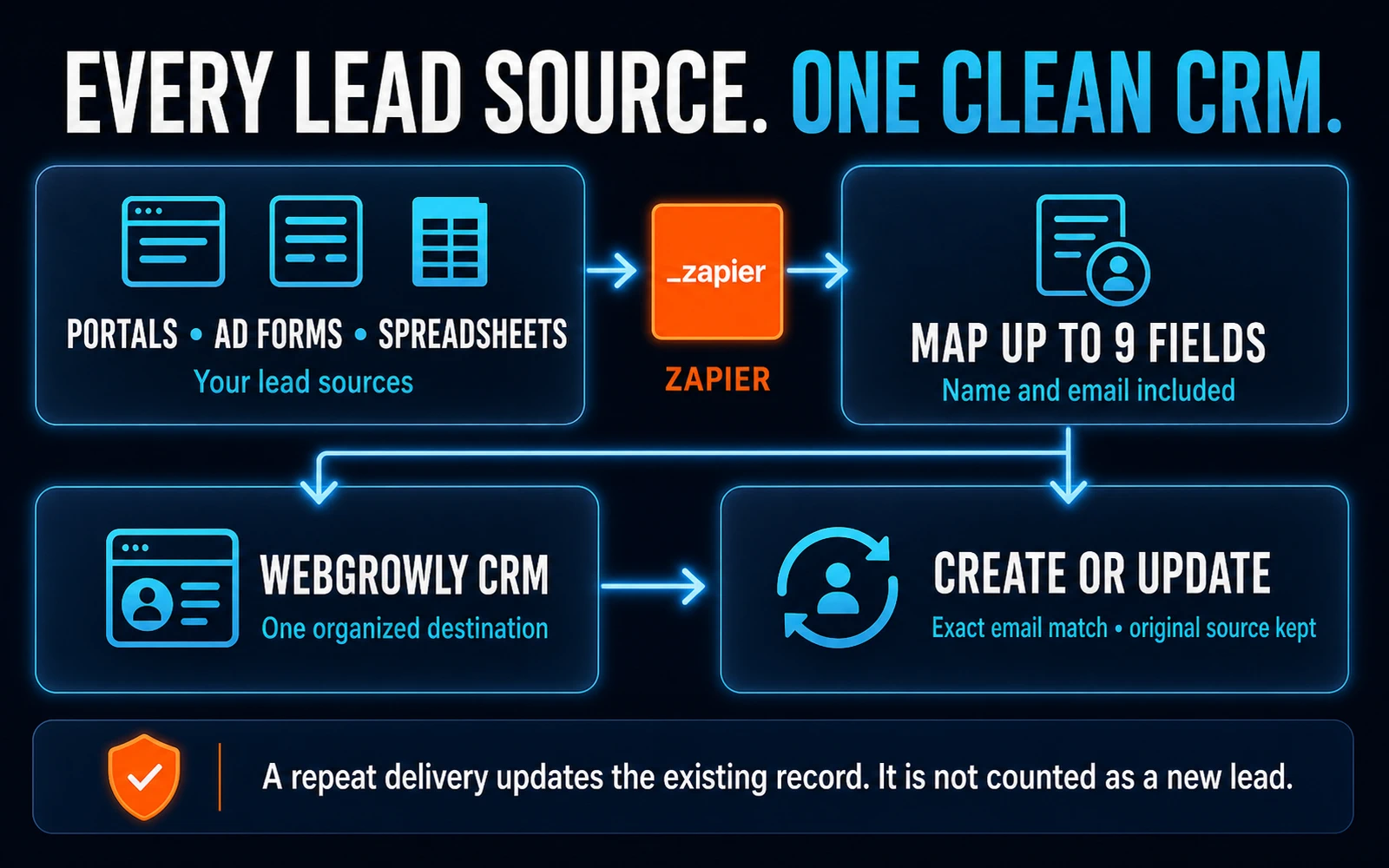
Bring leads from portals, ad forms, spreadsheets, and any Zapier-compatible source into the same CRM. Exact email matching updates an existing person instead of creating a duplicate, while the original source stays protected and an active lead keeps its stage.
9
Lead fields
name · email · phone · source · budget · notes · type · location · bedrooms
2
API endpoints
create lead · test authentication
1
Secure API key
x-api-key · allowed domains · rate limits
3.1
OpenAPI standard
public documentation · live explorer · curl examples
A Facebook Lead, Already Organized in Your CRM
The connected Zap on the left; the complete lead record and original source on the right.
What Lands in Your CRM
Sofia K.
sofia.k@mail.com
Facebook Lead Ads$450KCondoBrickellMarco T.
marco.t@mail.com
Google Forms$2.8K/moRentalEdgewaterJulia B.
julia.b@mail.com
Typeform$650KHouseCoral GablesSofia K.
Facebook Lead Adssofia.k@mail.com
Marco T.
Google Formsmarco.t@mail.com
Julia B.
Typeformjulia.b@mail.com
How It Works
STEP 01
Copy the API key from your dashboard
Every account receives its own key. Zapier sends it in the x-api-key header, and WebGrowly also checks the account’s allowed domains and request limits. The connection test confirms the account ID, name, company, and plan.
STEP 02
Choose any Zapier-compatible lead source
Use your portal, ad form, spreadsheet, or another connected app as the trigger and WebGrowly OS as the action. Then map up to nine fields: name, email, phone, source, budget, notes, property type, preferred location, and bedrooms. Name is required.
STEP 03
Prevent duplicates and preserve the original source
WebGrowly looks for an exact email match without regard to capitalization. If that person already exists, only their contact details and stated criteria are updated. The source is set when the lead is first created, so a repeat delivery never replaces the original acquisition channel or moves an active lead; a closed or lost lead that enquires again reopens as New.
STEP 04
Alert you only for genuinely new leads
A new email creates a lead with status “new” and the source supplied by your Zap, or “Zapier Integration” by default. It triggers the new-lead notification. A repeat delivery updates the record quietly, with no second alert. The API log records the endpoint, method, result, and response time for every call.
Why Agents Use It
Automatic Deduplication
If the same person arrives from an ad form and your website, exact email matching updates the existing record instead of filling the pipeline with duplicates. Simultaneous deliveries are safely rechecked and updated rather than failing.
Nine Validated Fields
Name, email, phone, source, budget, notes, property type, preferred location, and bedrooms are validated and safely capped. A long note is trimmed within documented limits instead of breaking a working Zap.
Complete API Documentation
Public documentation includes the OpenAPI 3.1 specification, an interactive explorer, and ready-to-use curl examples for both endpoints. You retain control of field mapping and authentication in your own Zap.
Bring Every Lead Source into One CRM
See a live Zapier intake during a 60-minute WebGrowly demo.
Book a Demo